The AdCreative AI free trial gives you 7 days and 10 credits, and most people waste both. They sign up on a Monday, poke around for ten minutes, then forget the tab is even open.
Day 8 shows up. The card gets charged. Now you are paying for a tool you never really tested, and you are stuck asking support for a refund you may not get.
That does not have to be you. This guide shows you what the trial includes, what it costs after, and 7 easy steps to test the tool properly before the clock runs out. Let’s get started.
What Is the AdCreative AI Free Trial?
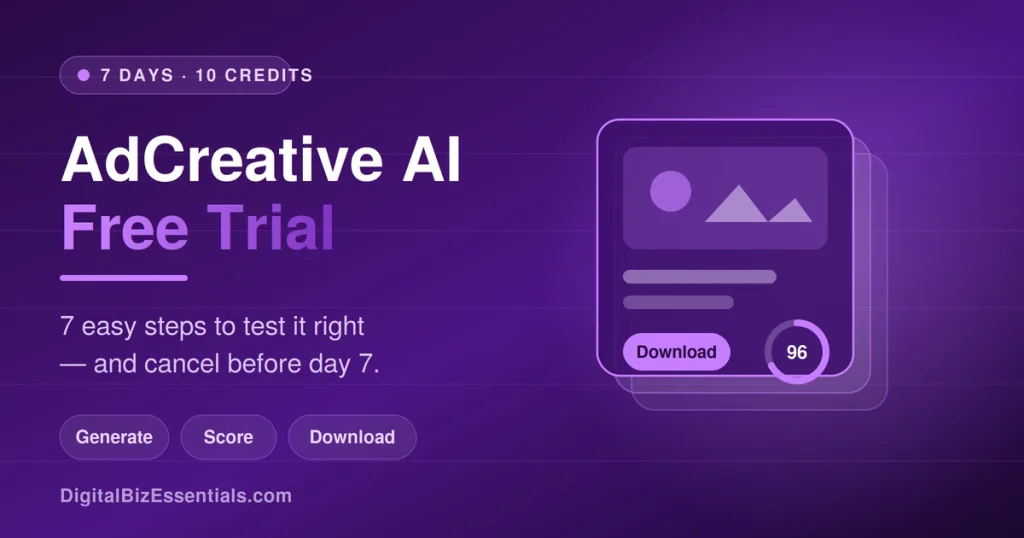
The AdCreative AI free trial is a 7-day test of AdCreative.ai, an AI tool that makes ad images, videos, and copy for Facebook and Google. You get 10 credits to download finished ads. A credit card is required at signup, and the plan bills automatically on day 8 unless you cancel first.
So the “free” part is real, but it comes with a clock attached.
Here is the part people miss. You can generate as many ads as you want during the trial. Credits only get used when you hit download. That means you can make fifty ads, look at all of them, and only spend a credit on the ten you actually like.
That one detail changes how you should use your week. Generate wide. Download narrow.
Why the AdCreative AI Free Trial Matters for Small Businesses
Ads die fast. The one that worked last Tuesday stops working this Tuesday, and you need something fresh.
Hiring a designer is slow and pricey. Making ads yourself eats a whole afternoon. That is the gap this tool fills, and the trial lets you find out if it fills it for you.
Here is what a week of testing gets you:
- Real ads, not demos. You download the files and use them in live campaigns.
- Your brand, not a template. It pulls your logo, colors, and fonts from your site.
- A score before you spend. Its Creative Scoring AI predicts which ads should perform better.
- Copy written for you. The text generator writes headlines and ad text.
- A clear yes or no. Seven days is enough to know if it fits your business.
You are not just window shopping. You are running a small test with real money on the line later.
What You Need Before You Start
Not much, and you can gather it in ten minutes.
- Your website URL (the tool scans it for brand colors and fonts)
- Your logo file
- One or two product photos
- A credit card
- A calendar reminder set for day 5 or 6
That last one is not optional. Write it down now, before you sign up. It is the single thing that separates a happy test from an angry refund email.
How to Use the AdCreative AI Free Trial in 6 Easy Steps
Follow these in order and you will get real value out of your week.
Step 1: Start Your Trial and Set the Reminder
Sign up, enter your card, and start the clock. Then, before you touch anything else, set a phone reminder for day 5.
Right now you are guessing which ads will work. By Friday you could have ten finished ads scored and ready to run. Start here: AdCreative AI free trial
Paste your website URL. The tool grabs your logo, colors, and fonts on its own. Fix anything it got wrong. This takes about five minutes and every ad you make after this will match your look.
Step 2: Generate Wide, Download Nothing Yet
Now make ads. Lots of them. Try square, story, and landscape sizes. Try different headlines.
Generating is unlimited during the AdCreative AI free trial, so go big here. Do not download a single file yet.
Step 3: Check the Scores
Each ad gets a performance score. Sort your batch and see which designs the AI likes best.
You do not have to agree with it. But it is a free second opinion, and it costs you nothing to look.
Step 4: Spend Your 10 Credits Wisely
Now download. Pick your ten best and only your ten best.
Credits do not roll over and you cannot get them back. Ten good files beat ten random ones every time.
Step 5: Run Them and Watch
Put two or three of the new ads live against your current best ad. Give it a few days.
This is the real test. Not how pretty the ads look, but whether they beat what you already had. Point them at a proper landing page, not your homepage our Systeme.io funnel guide walks you through building one free.
Step 6: Decide Before Day 7
Your reminder goes off. Now answer one question: did the ads do better than what you had before?
Yes? Pick a plan. No? Cancel. Either answer is a win, because you decided on purpose instead of by accident.
Ready to run your own test? Grab the 7-day AdCreative AI free trial, generate as many ads as you want, and download your 10 best before the week is out. A card is required and it renews on day 8, so set that reminder the moment you sign up. Start your AdCreative AI free trial
Tips to Get the Most From Your AdCreative AI Free Trial
Start on a Monday. A trial that ends mid-weekend is a trial you will forget about.
Feed it good photos. Clean, well-lit product shots make a bigger difference than any setting in the tool.
Use the copy generator on headlines you already have. Ask for ten versions of your best line and see if any beat it.
Check the competitor insights while you are in there. It shows you what ads other brands in your space are running.
Keep notes. Write down which ad won and why. That note is worth more than the ads themselves.
Common AdCreative AI Free Trial Mistakes to Avoid
Signing up with no reminder. This is the number one complaint you will find about this company on Trustpilot and Capterra. The trial converts on its own. Do not rely on their email.
Downloading everything on day one. Ten credits go fast. Look first, download last.
Testing with no plan. “I’ll play around with it” is how a week disappears. Pick one product and one offer.
Skipping the brand setup. Ads that do not look like your brand are ads you will never run.
Signing up on annual before you know. Test on the monthly path first. You can always upgrade later.
How Much Does AdCreative.ai Cost After the Free Trial?
There is no forever-free plan here. When the AdCreative AI free trial ends, you pick a paid plan or you cancel.
At the time of writing, the official pricing on AdCreative.ai looks like this on monthly billing:
- Starter — $39/mo. 10 credits, 1 brand, 1 user.
- Professional — $249/mo. 50 credits, more brands, up to 10 users, plus Pro features.
- Ultimate — $999/mo. 100 credits, 25 brands, 20 users.
- Enterprise — custom pricing.
Quarterly billing cuts about 25% off, and yearly cuts about 50%, which drops Starter near $20/mo. Sale banners run often, so check the current offer before you pick.
One more thing worth knowing. Their terms and refund policy offers refunds inside 7 days on monthly plans and 30 days on yearly plans but only if you have not used the platform. Once you generate or download, that door closes.
Try AdCreative AI free for 7 days (Card required. Cancel in your account settings before day 7.)
Frequently Asked Questions
Is the AdCreative AI free trial really free? Yes, for 7 days. You are not charged during the trial period. But you must enter a credit card to start it, and the plan bills automatically on day 8 if you do not cancel. Cancel before then and you pay nothing.
Do I need a credit card for the AdCreative AI free trial? Yes. A valid card is required at signup. If you want a tool you can test with no card at all, Systeme.io has a free plan that never expires, though it builds funnels and emails rather than ads.
How many credits do I get and what is a credit? You get 10 credits. One credit is used each time you download a finished creative. Generating and previewing ads is unlimited, so you only spend credits on the files you actually keep.
Can I keep the ads I download after I cancel? Yes. Anything you download during the trial is yours to use in your campaigns. Cancelling stops future access to the tool, not the files already on your computer.
How do I cancel the AdCreative AI free trial? Cancel from your account settings inside the app before day 7 ends. Take a screenshot of the confirmation. Plenty of users report billing headaches, so keep proof and check your card statement the following week.
Final Thoughts
The AdCreative AI free trial is a fair deal if you treat it like a test instead of a toy. Seven days, 10 credits, unlimited generating. Add your brand, make a pile of ads, download your ten best, and run them against your current winner.
The only real risk here is forgetting the date. Set the reminder before you set up your brand, and the worst case is a week of free ads.
Want the full breakdown of features, scores, and the billing complaints first? Read our honest AdCreative.ai review before you sign up.
Start your AdCreative AI free trial – (7 days, 10 credits, card required, cancel anytime.)
Read next: 7 Ad Creative Services for the Future
Some links on this page are affiliate links. We may earn a commission if you buy through them, at no extra cost to you.